Personal project · TypeScript, React, Web Bluetooth · Hardware, reverse engineering
The docs were wrong. The traffic wasn't.
- TypeScript
- React
- Vite
- Web Bluetooth API
- Vitest
- ~58xfaster, once tested on real hardware
- 4/4protocol values from docs that were wrong
The problem, in one line
I needed to print a name label for my son’s school, my phone was not with me, and there was no easy way to print from a computer instead.
Context
The printer app only works on a phone. I searched for a ready computer app. None existed. I found a few open-source projects on GitHub that tried to solve the same problem, but none of them satisfied me: hard to set up, or not working well. So I decided to build my own: a small web app that connects to the printer over Bluetooth, straight from the browser. No app to install, on any computer.
This was not only about that one label. My phone will not always be with me the next time I need to print something. Building a tool that works from any device meant I would not run into the same problem again.
The printer talks Bluetooth Low Energy. The browser can talk to that directly, with the Web Bluetooth API. No backend server needed, no app store, just a page you open. That part of the plan was simple. What was not simple: getting the printer to actually understand what I was sending it.
Finding the real cause
I started from public write-ups about this printer family. They gave me the Bluetooth service ID, and typical values for quality, speed, and heat energy. I built the app around those numbers.
None of it worked on my real printer. Wrong service ID. Wrong quality value. Wrong speed value. Wrong energy value, not even close to the documented range. No errors anywhere. The printer just did nothing.
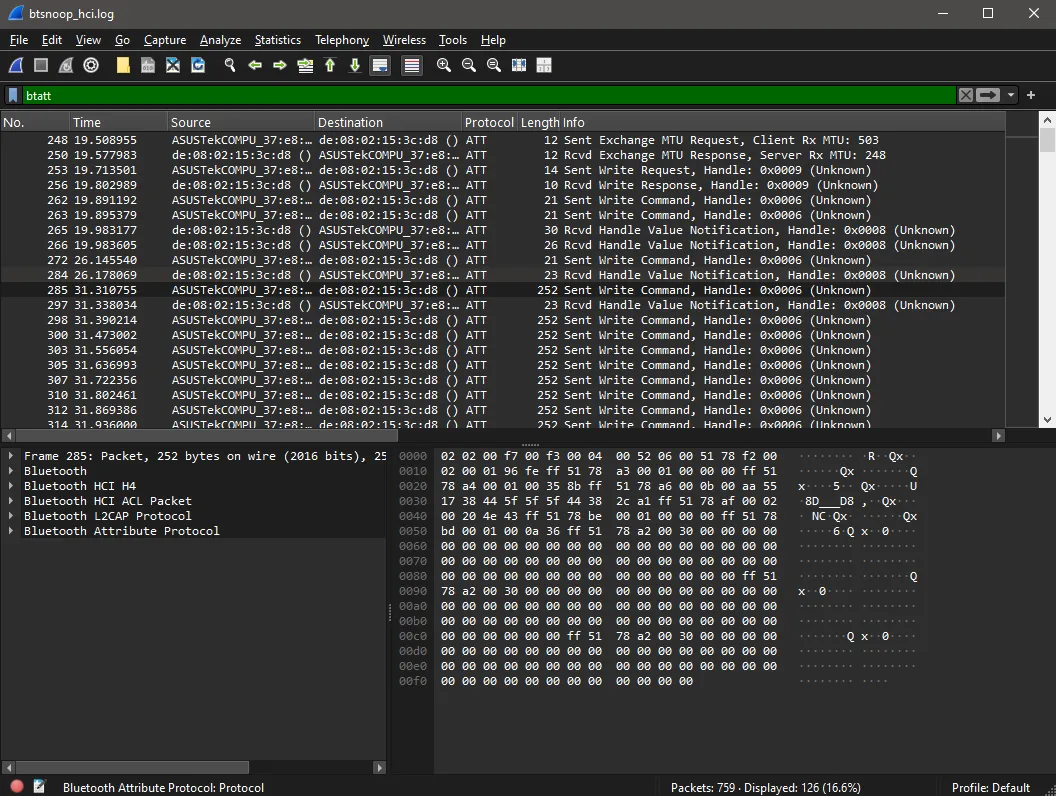
So I stopped guessing. I turned on Bluetooth traffic logging on my phone, printed something with the printer’s real app, pulled the log, and read the real bytes in Wireshark. That gave me the true values, plus one command that was not in any write-up I could find, sent before anything else. The lesson: documentation is a good first guess, not the truth. When you can check the real behavior, check it.
The decision, and the one I rejected
Once the printer accepted my commands, a second problem showed up: sending data too fast can jam this kind of printer. This is the exact failure that makes similar open-source projects unreliable. There is no official, written answer for how fast is safe.
The “smart” fix looked obvious: wait for a notification from the printer after each write, instead of guessing a fixed delay. No arbitrary waiting, the printer tells you when it’s ready. I built it that way first, as NotifyAck.
I did not trust it without proof. So I also built the simple version, FixedDelay: just wait a fixed time after every write. Then I tested both on the real printer, with the same 20-line print job, and measured.
FixedDelay finished in about 1 second, clean print, no jam. NotifyAck took about 58 seconds for the same job. Not a partial slowdown: this specific printer never sends a notification on the write characteristic at all, so every single write fell back to a timeout. The “smart” solution was not smart on this hardware. It just never worked.
FixedDelay is the default now. NotifyAck stayed in the code, not deleted, in case a different printer or firmware really does support it later.
Results
- About 58 times faster, comparing the two pacing strategies on the same real print job, measured on the actual hardware, not estimated.
- 4 out of 4 protocol values from third-party write-ups turned out wrong for this exact printer, found only by reading its real Bluetooth traffic.
- A working Progressive Web App: install it, connect over Bluetooth, print an image, no companion app needed on any device.
What I’d do differently
I would trust written documentation less, sooner. I spent real time building against values from write-ups before checking any of them against the real printer. The Bluetooth traffic capture was the thing that actually worked, every time, on the first try. Next time I would capture the real traffic first, and treat any write-up as a hint to check, not a foundation to build on.