FoodChéri & Seazon · React, Vanilla Extract · Performance
Making the meal grid as fast as its data
- React
- Vanilla Extract
- React.memo
- React DevTools
- Lighthouse
- ~60%fewer re-renders
- ~40%faster load
The problem, in one line
The screen at the heart of the whole subscription (the grid where customers pick their meals) was slow. The data was already there. It was the interface that couldn’t keep up.
Context
On both FoodChéri and Seazon, choosing your meals is the core action. Every subscriber sees a grid of 24 to 50 meal cards and builds their week from it. If that grid is slow, the most important moment in the product is slow. And it was. The cards were janky to use, the grid took too long to become usable, and that lag sat right on the path to conversion.
The strange part: the server wasn’t the problem. The meal data arrived fast. Something was going wrong after the data loaded, on the client, during the render.
Finding the real cause
I don’t optimize on a guess, so I opened the React DevTools profiler and recorded an interaction with the grid.
The flamegraph was clear. Each of the 24 to 50 cards was re-rendering far more than it needed to, and each render was expensive. Two problems stacked on top of each other: too many renders, and each render doing too much work.
The “too much work” part was the surprise. The cost came from how the cards were styled. They used react-jss (a runtime CSS-in-JS library) with createUseStyles() reading values from the component’s props. Because those props changed on every render (new object references, meal state shifting), the styling hook recomputed the styles for each card, on every render. With one card, it’s invisible. With fifty cards re-rendering again and again, it becomes the whole problem.
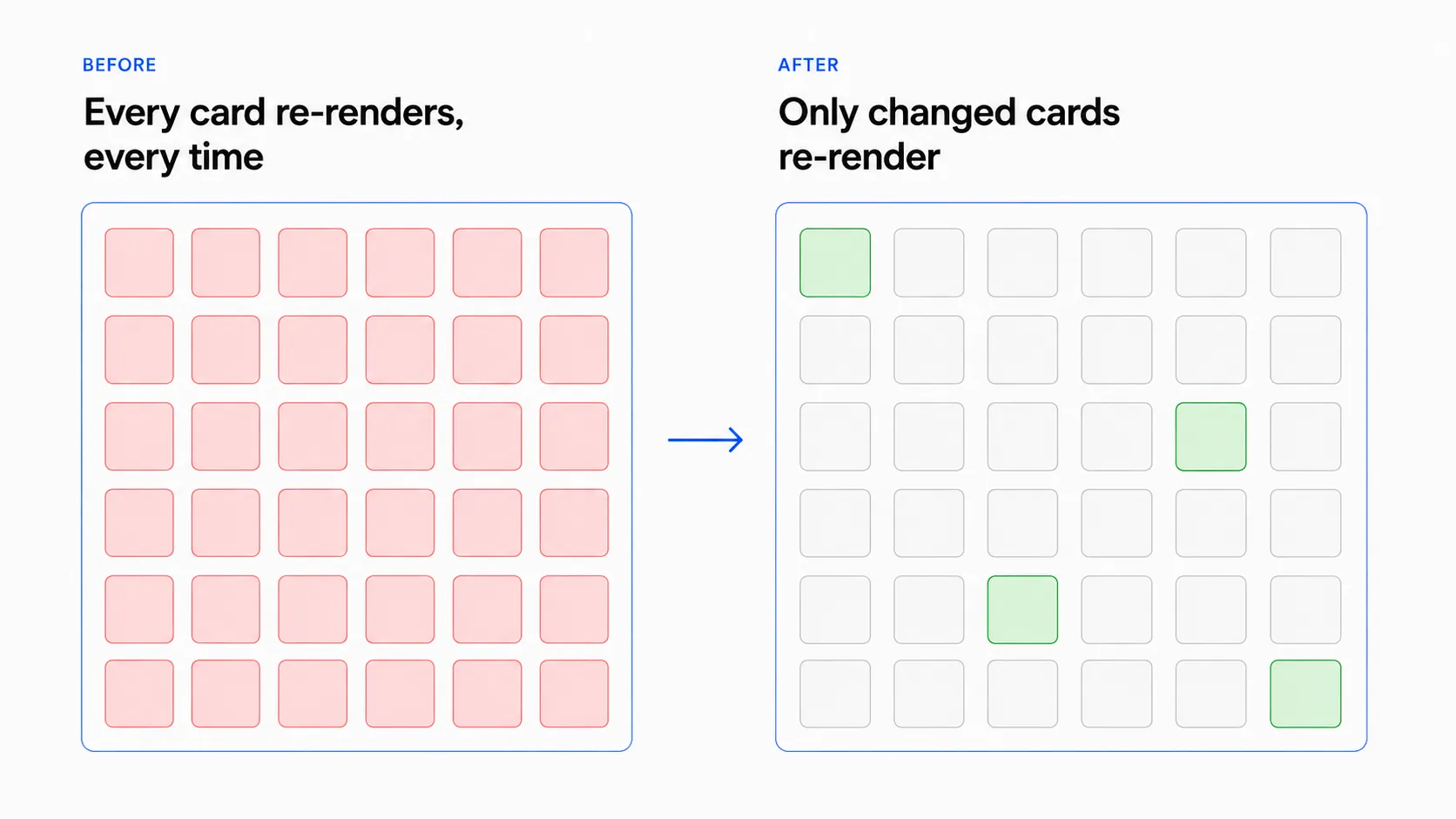
So the real cause wasn’t “React is slow” or “we have too many cards.” It was that the styling solution did expensive work at runtime, on every render, and that cost was multiplied across a large, repeated grid.
The decision, and the one I rejected
The obvious quick fix was virtualization: only render the cards visible on screen and recycle the rest. It’s the standard answer to “big grid, slow render,” and it would have shown an immediate improvement.
I chose not to.
Virtualization would have hidden the problem, not fixed it. Rendering fewer cards lowers the total cost. But each card is still too expensive on its own. As soon as the user scrolls, the cost comes back. And virtualization isn’t free: it adds scroll complexity, it can hurt accessibility and in-page search, and it complicates a layout that didn’t need it. I’d have added permanent complexity to hide a cost I could remove.
The better choice was to make each card cheap. The grid would then be fast with or without virtualization. I made two changes, one for each problem:
-
Replaced
react-jsswith Vanilla Extract. Vanilla Extract generates the CSS at build time, with no runtime cost. The styles that were recomputed on every render simply stopped being computed at render time. This removed the per-card, per-render cost at the source. -
Memoized the card components with
React.memo. Once the styles no longer forced work on every render, I made the cards re-render only when their own data changed, not because a parent or a sibling had changed. This fixed the “too many renders” half.
The two fixes complemented each other on purpose. One makes each render cheap. The other makes renders rare. Fixing only one would have left half the cost in place.
Results
- ~60% fewer re-renders across the grid, measured in the React DevTools profiler (the same flamegraph, before and after).
- ~40% faster load on this flow, as part of the overall load-time reduction measured in Lighthouse.
- The grid became responsive on the exact screen that matters most: the one every subscriber uses to buy.
And because the fix removed the cause instead of hiding it, the grid stayed fast as the number of cards grew, with no virtualization machinery to maintain.
What I’d do differently
I’d have caught it earlier. The runtime CSS-in-JS cost was invisible at small scale and only showed up once the grid grew. A performance budget, or a profiling step in code review, would have flagged it before production. The fix was clean. The lesson was simple: “it works now” and “it will work at scale” are two different claims, and repeated UI deserves the second one checked.